Is it possible to add more lots to an open position created by an Algo through the Stratzy web platform? If yes, could you please explain the steps to do so?
Hi @Shivkumar
To add more lots on Stratzy Web, please follow these steps:
-
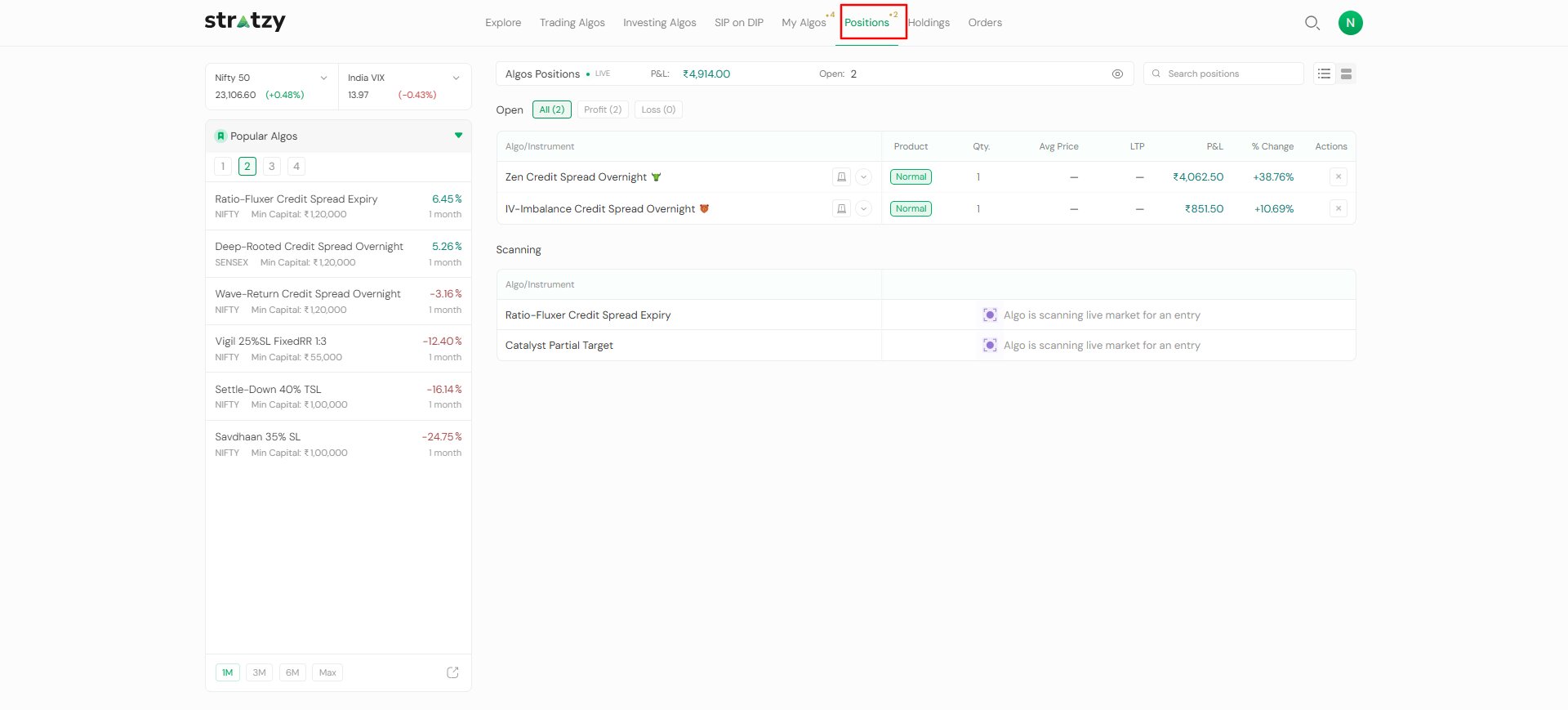
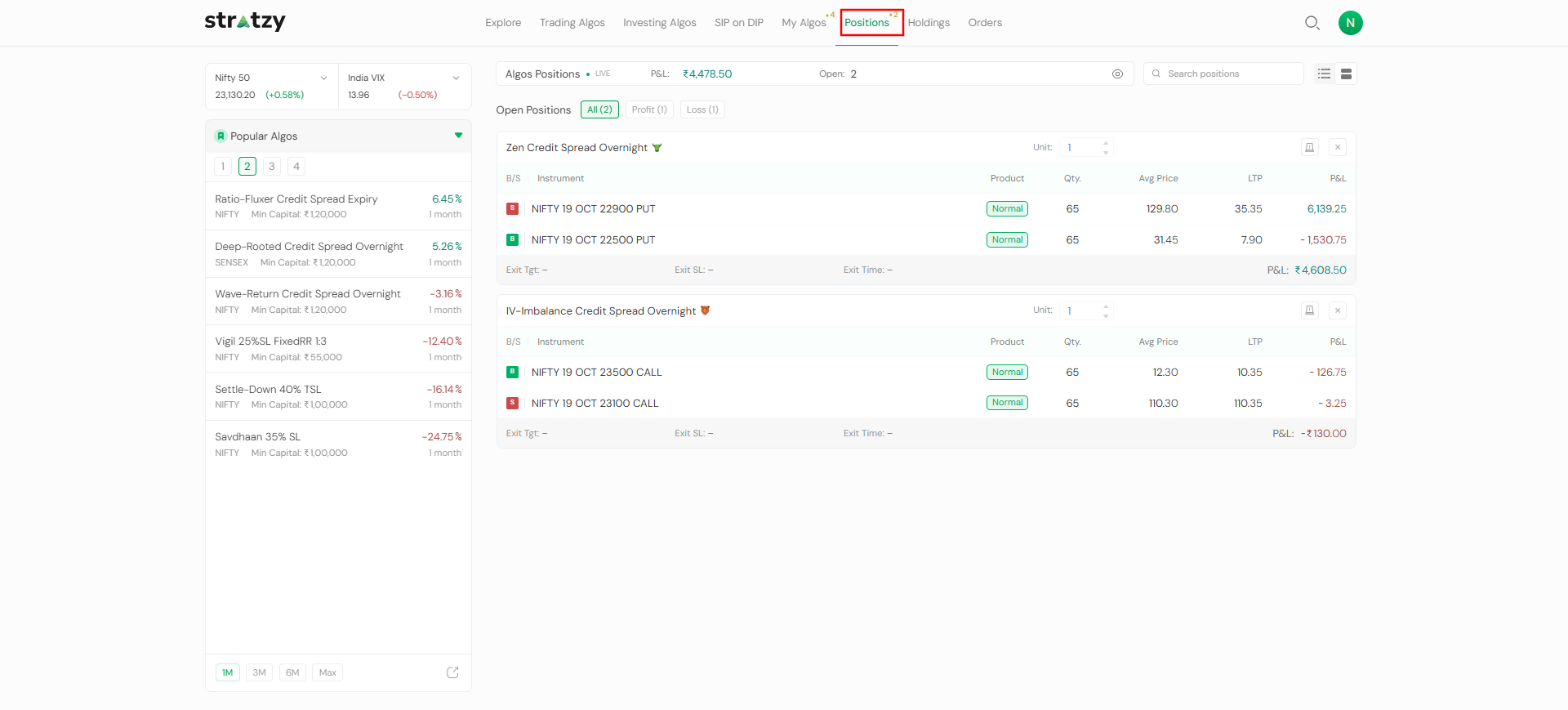
Go to the Positions tab. You can view your positions in either Table View or Card View.
-
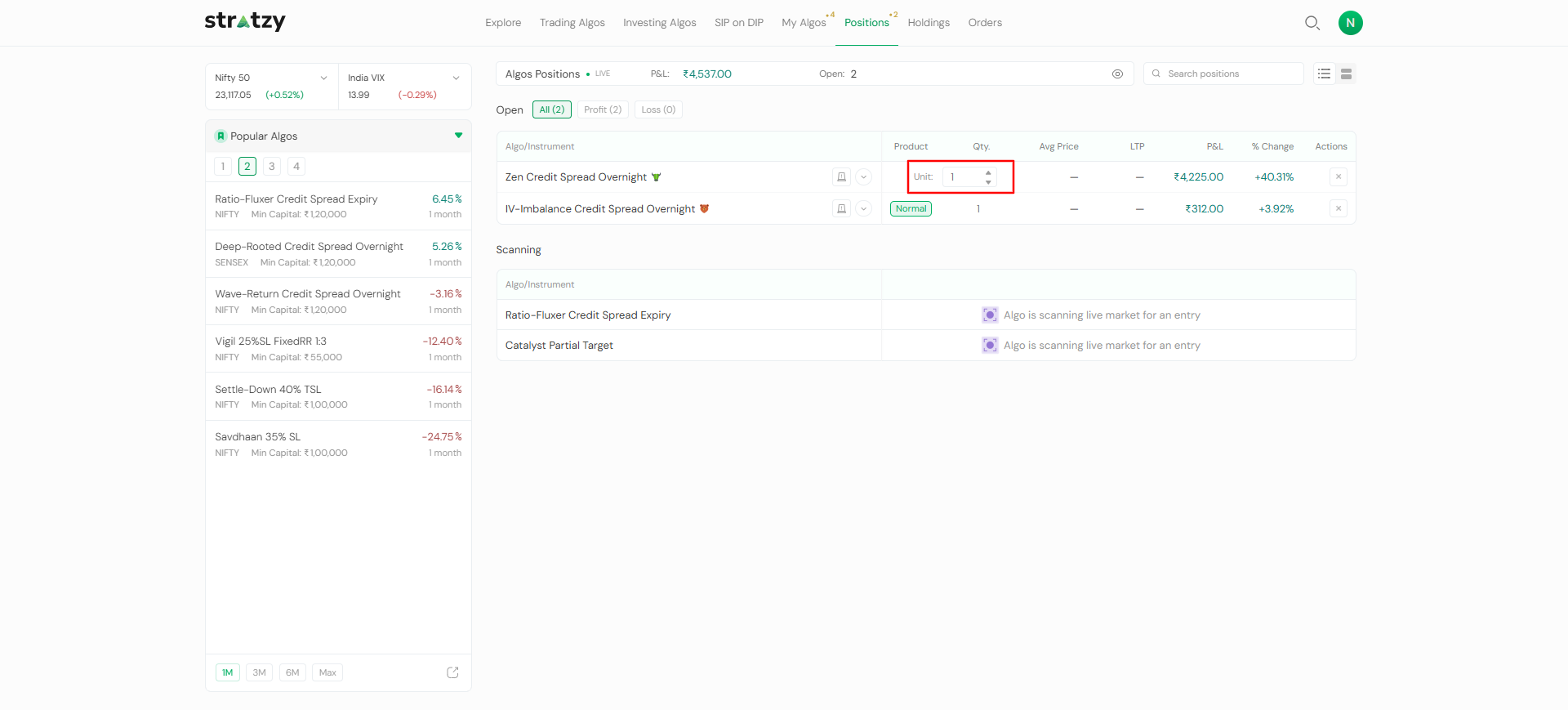
Hover your mouse over the Qty (Quantity) field. You will see an up arrow and a down arrow.
-
Click the up arrow to increase the quantity and add more lots.
-
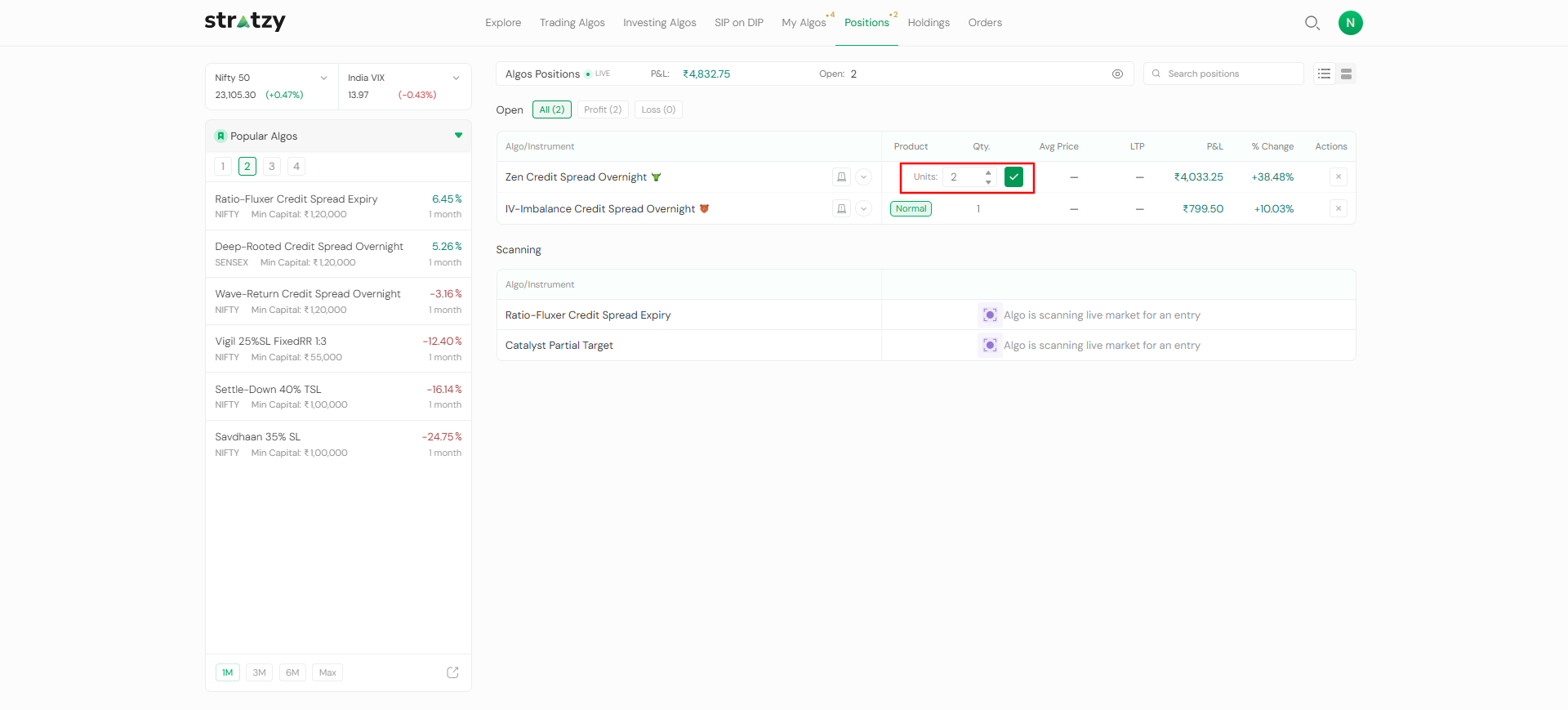
After adjusting the quantity, a tick mark (✓) will appear next to the Qty field. Click the tick mark to execute the order.
Please refer to the detailed step-by-step screenshots shared below for visual guidance.
Table View:
Step 1:
Step 2 and 3:
Step 4:
Card View:
Step 1:
Step 2 and 3:
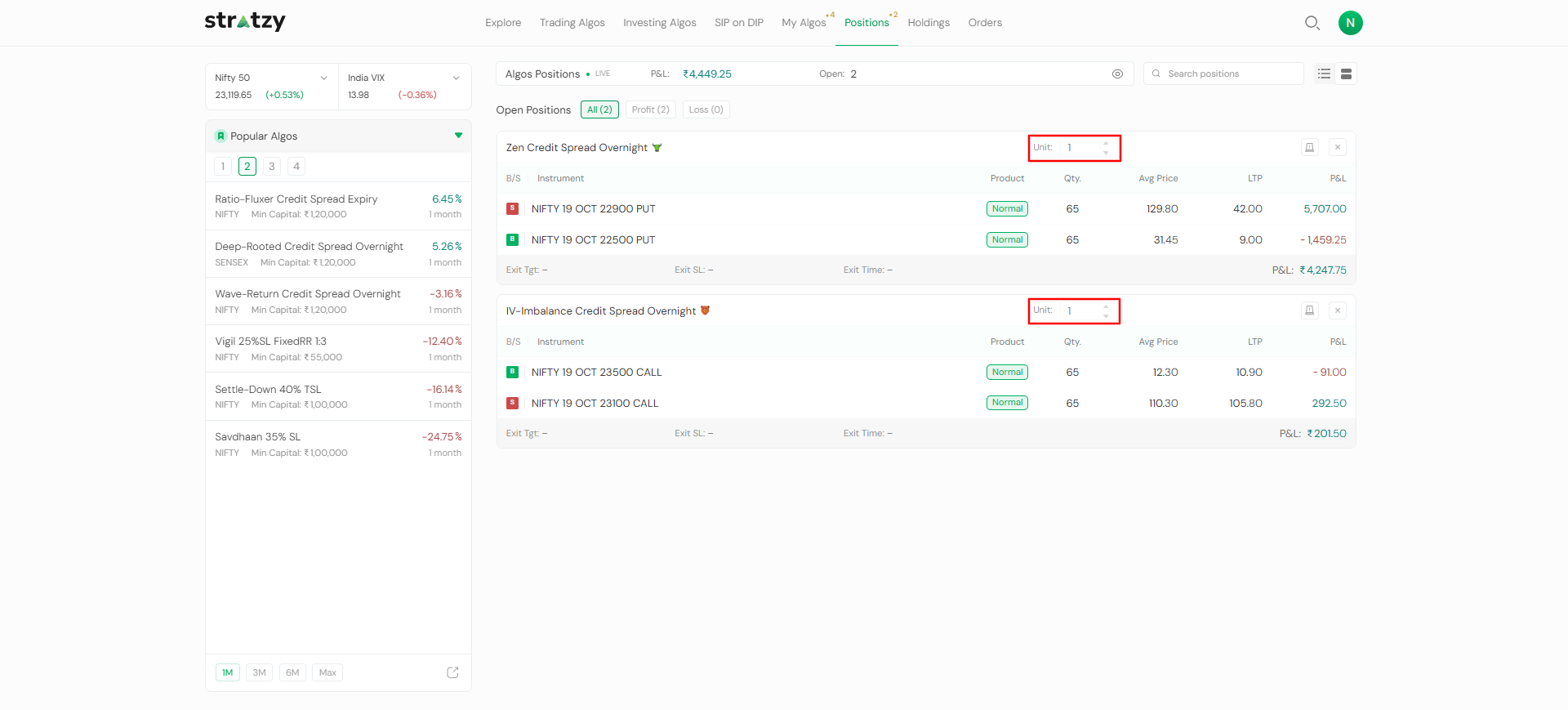
Step 4:
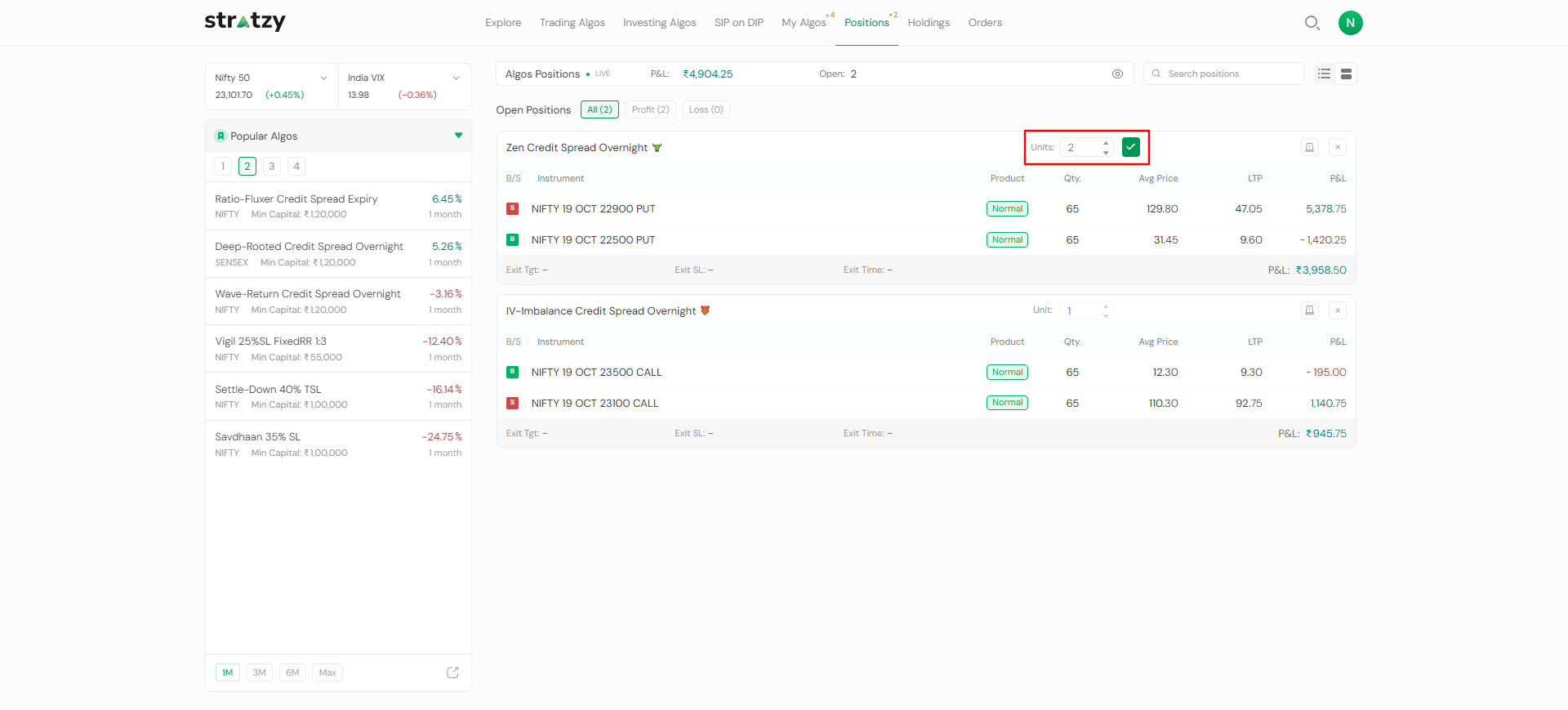
I hope this provides clarity.
3 Likes
Hi Tilak,
Thank you for explaining this - I want to understand that - will the additional lots also be closed automatically once the trade is exited by the respective algo strategy ? or will I have to manually close them ?
Thank you,
Abhishek
Hi @Abhishek
If you add the additional lots through the Stratzy platform, the respective algo will manage its exit based on its predefined strategy conditions. You do not need to close these positions manually.
Kindly provide these on dhanhq as well. For managing lots
Hi @ProTrader
This feature is already available to a limited set of users on Dhan Algos. It is expected to become available to everyone within approximately 1–2 weeks.
We appreciate your patience and understanding while the rollout is underway.