Hi Stratzy team, I am currently using the Damper credit spread algo. I noticed that while we have clear min and max capital allocation info for each algo, there is not any guidance on the stop loss range (min or max). Could you share the recommended stop loss parameters for this specific algo?
The Algo manages its entry, exit, target, and stop-loss automatically based on its predefined strategy logic and exit criteria. As a result, there is no separate stop-loss parameter that users need to configure for the Algo.
If your objective is to understand the typical profit and loss range of trades, I request you to refer to the post below, as it covers a similar topic and should provide the insights you’re looking for:
I hope this helps clarify your query.
Hi Jay,
Thanks for your quick response, my query is regarding the stop loss option presented as a percentage during the fund allocation step for the Damper credit spread algorithm. I would like to know if there are any recommended settings or standard guidelines for this percentage. Additionally if this topic has already been discussed in the community, could you please pin or share the link to that thread so I can go through?
Could you please share a screenshot of the step you’re referring to during the Algo setup? You can post it here or email it to support@stratzy.in.
At the moment, we do not have any option to configure a stop-loss percentage while deploying an Algo, so I’d like to understand which screen you’re referring to.
Also, I had shared the relevant community post in my previous response. For your convenience, I’m sharing it again below:
Hi Jay,
I am sharing a screenshot for your reference. I might be wrong because I am still trying to understand all the options as I am new to this platform, but as always I really appreciate your help.
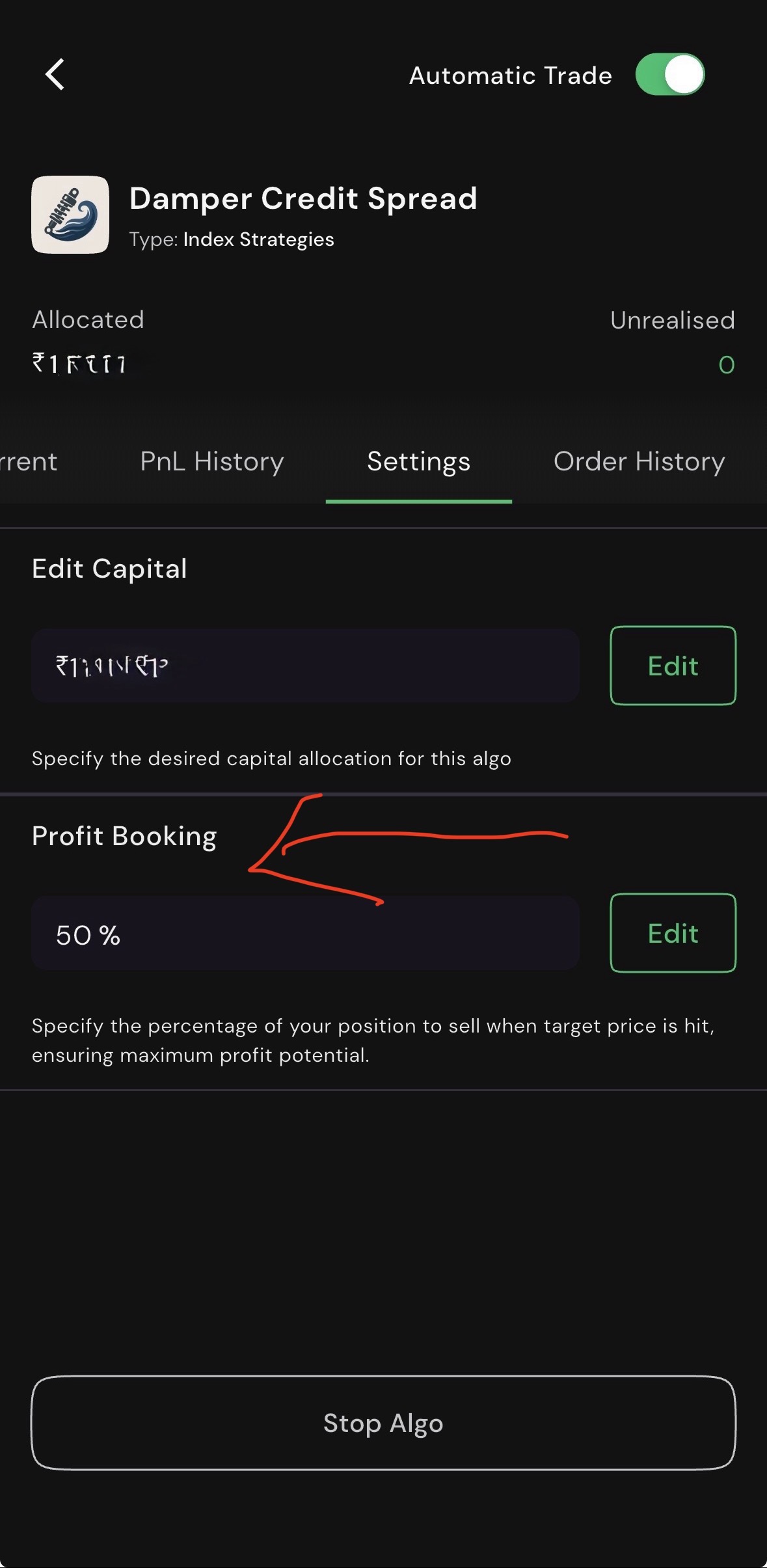
You can ignore this option , it doesn’t work for damper , u can leave it as it is and use algo
Thank you for sharing the screenshot. This setting is Profit Booking % and not a stop-loss percentage.
The Profit Booking % feature lets you decide what percentage of the open position should be exited whenever the Algo reaches a target level (T1, T2, T3, etc.).
For example, if an Algo enters with 10 lots and the Profit Booking % is set to 50%:
-
5 lots will be exited at T1.
-
50% of the remaining quantity will be exited at T2.
-
This continues until the final target or stop-loss is hit.
If you set it to 100%, the entire position will be exited at the first target (T1). If you set it to 0%, no partial profit booking will take place, and the entire position will remain open until the final target or stop-loss is triggered.
I hope this clarifies your query.
1 Like
Hi @jay.gori
Where can we check the T1, T2, … level for an algo?
Suggest the best option in which the algo works great, to get max profit, also how to set as natural the algo works
Partial profit booking is currently supported only with a few of our Option Buying Algos.
The exact T1, T2, T3, and subsequent target levels are not displayed in advance, as they are determined dynamically by the Algo based on its predefined strategy logic and criteria.
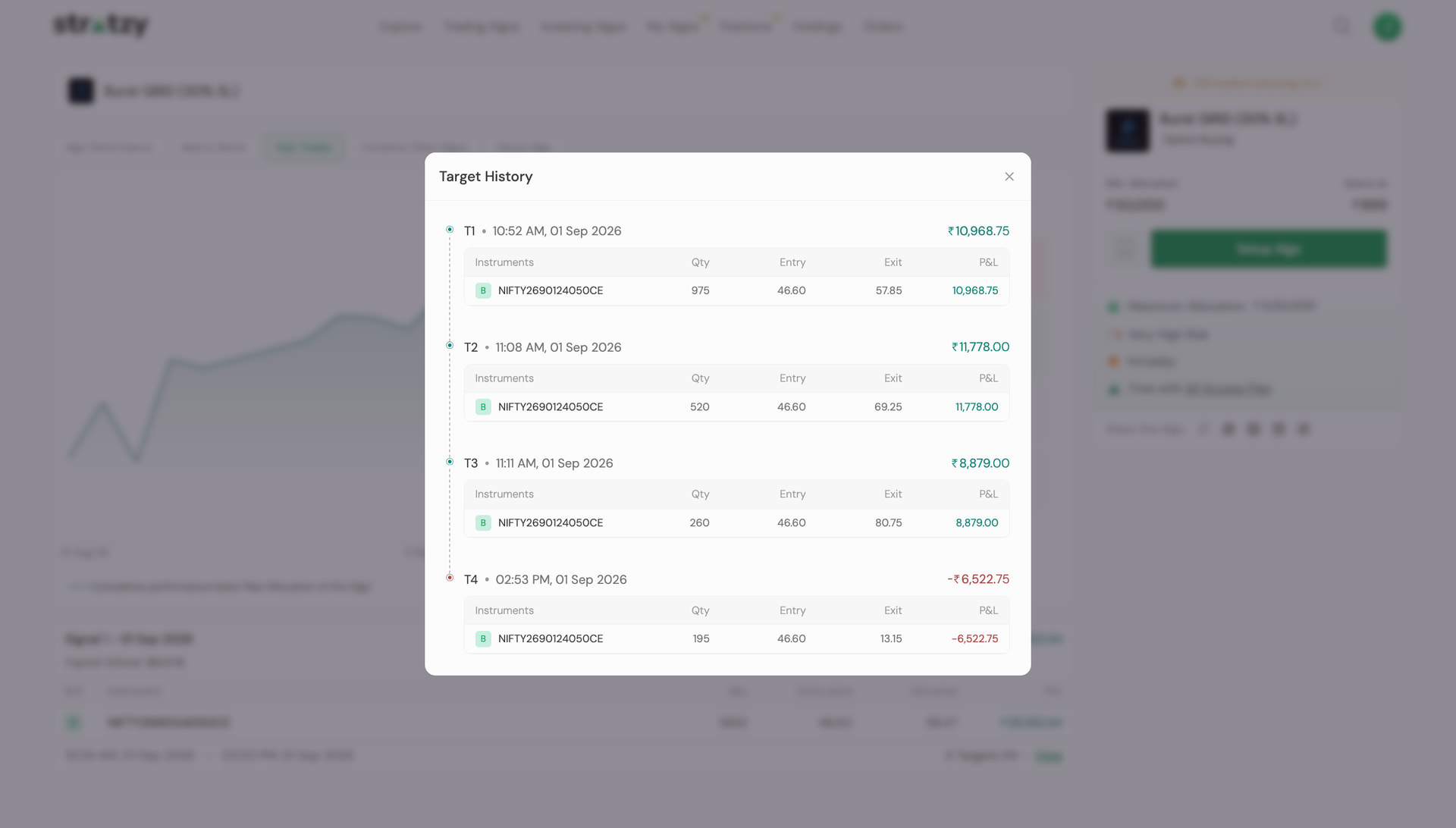
However, you can review how the Algo managed partial exits for historical trades by opening the respective trade under the “Past Trades” section. This will show you the details of each partial exit executed during that trade.
How to know which algo support this system as all the algos has this option to be enabled pls give as the clarity
Hi @gopi.cr
As of now, our multi-legged/hedged strategies do not have Algos that support partial profit booking. However, partial profit booking is available in a few of our Option Buying Algos.
The setting may be visible across Algos, but its applicability depends on the underlying logic and conditions.
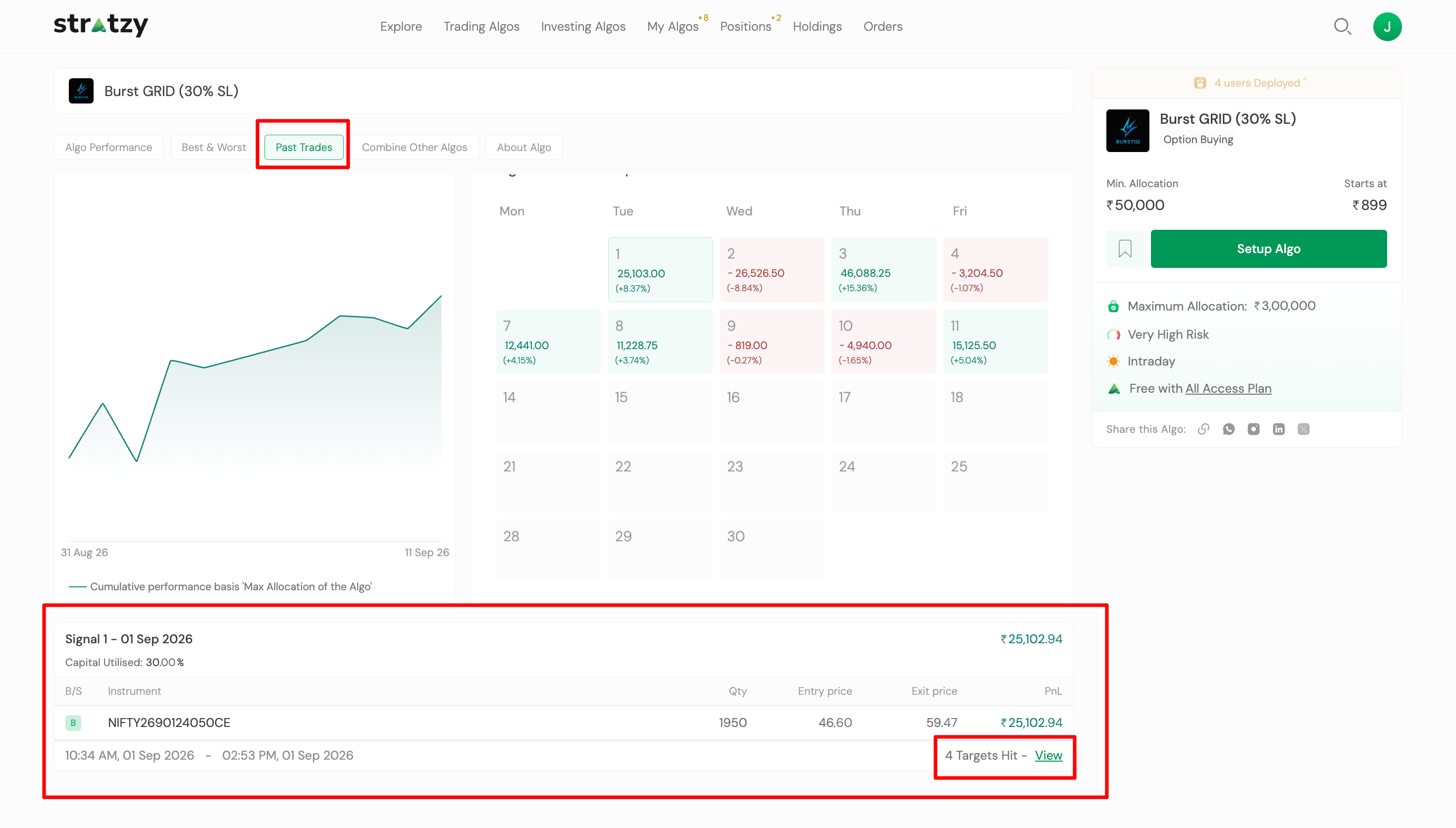
To check whether an Algo has been booking partial profits, you can go to the Past Trades section on the Algo page and refer to the Target(s) Hit section under the Signals card. This will show the targets achieved and the corresponding partial exits for historical trades.
1 Like