A lot of you guys demanded custom exit features to optimize your manual exits, and here’s what we have built for you! Algo Triggers gives you full custom control over your active Algo trades, allowing you to manage risk, schedule exits, and lock in profits on your own terms.
Here is a step-by-step walkthrough of how you can use Exit Triggers on Stratzy:
1. How to Access Exit Triggers
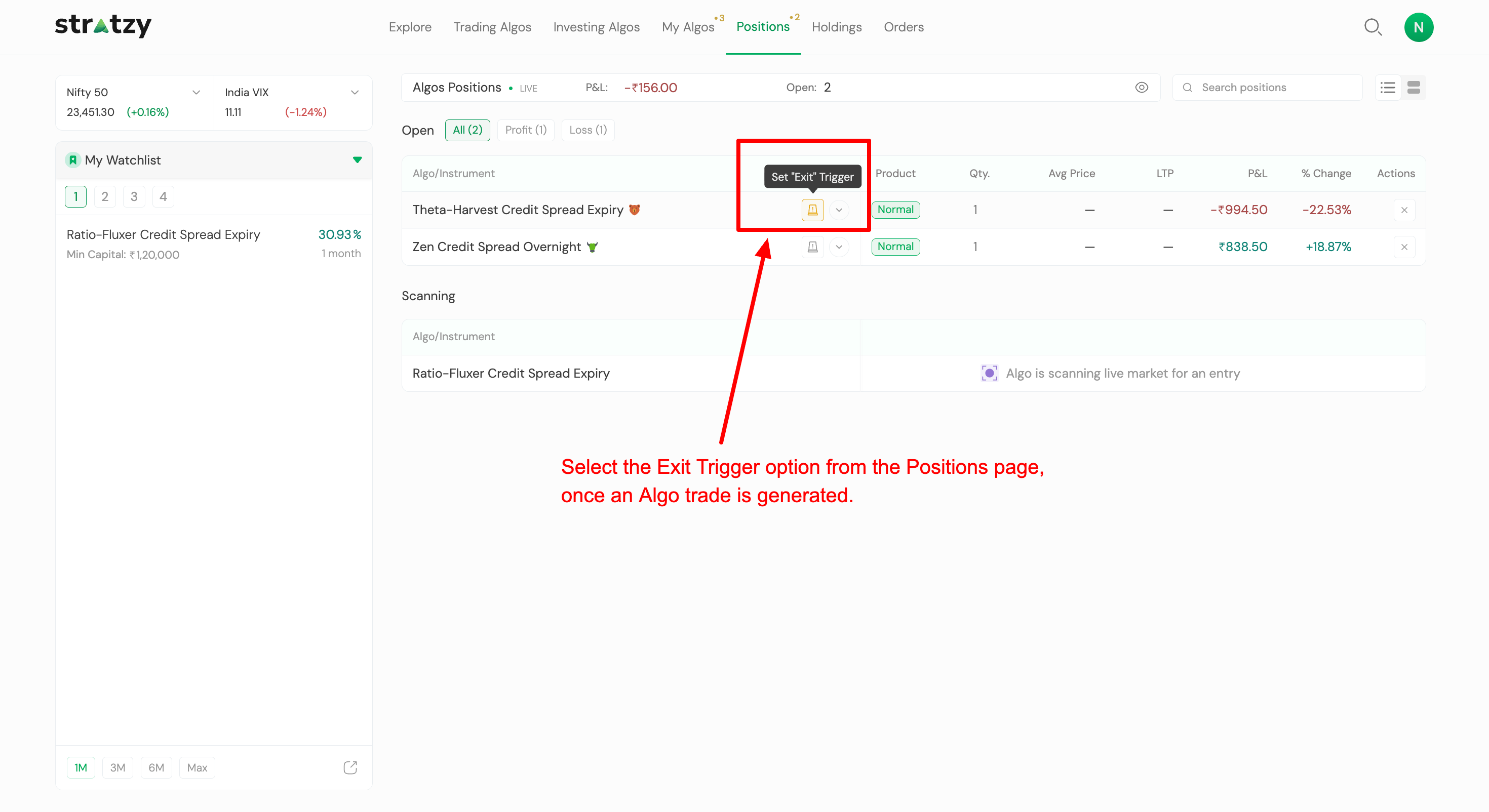
Once an Algo trade is generated, head over to the Positions page and click on the Set “Exit” Trigger option next to your open position.
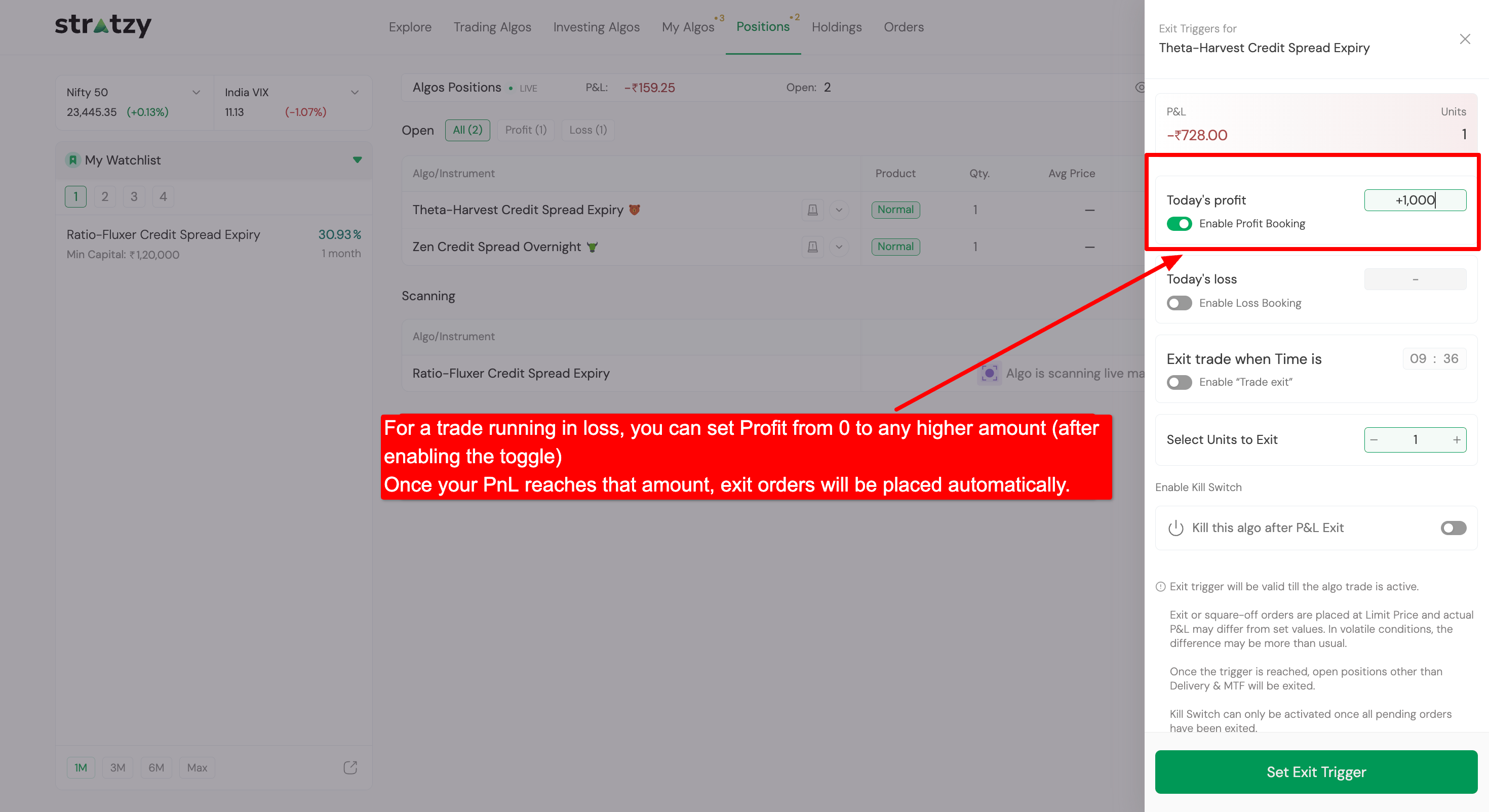
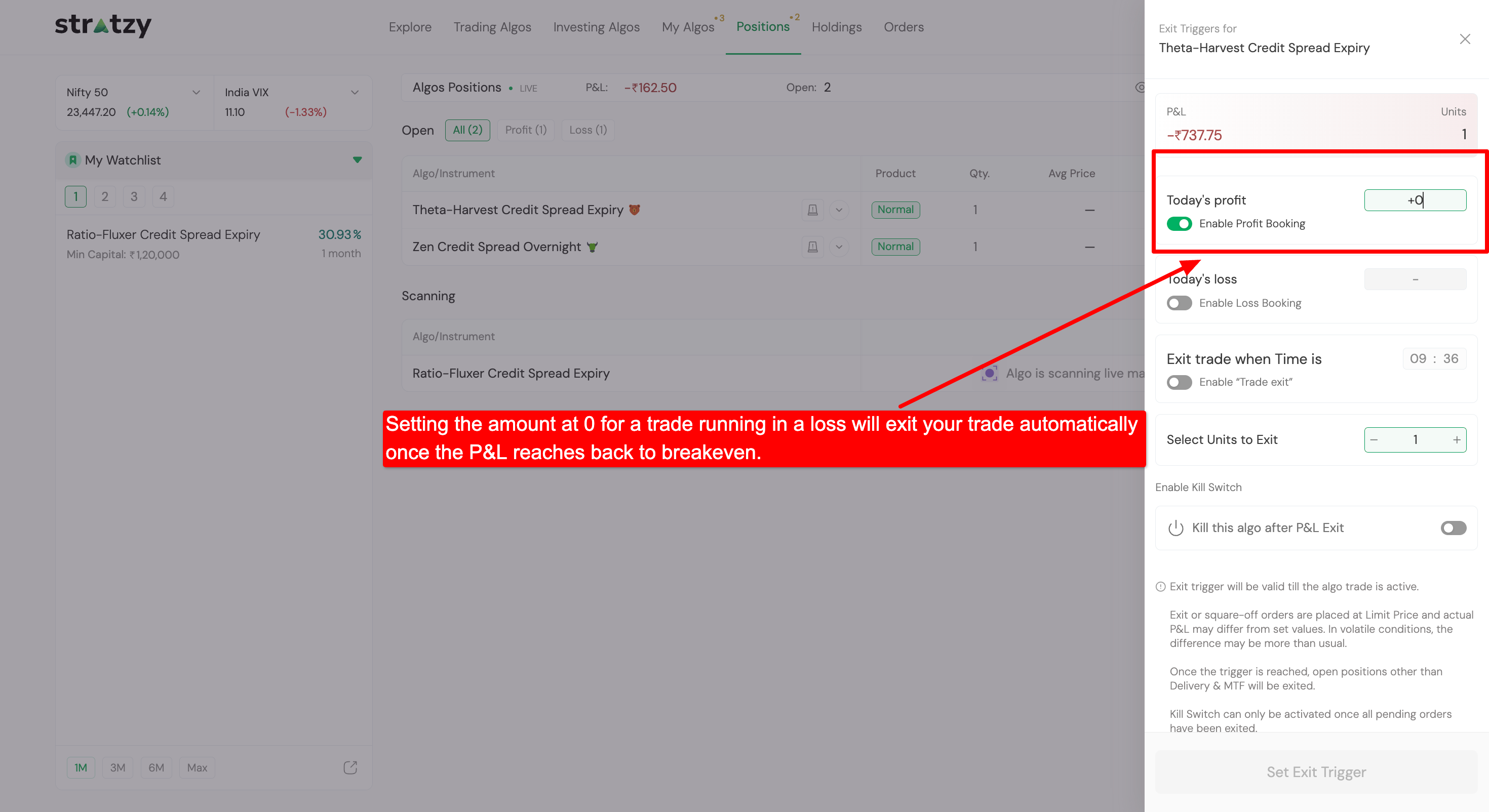
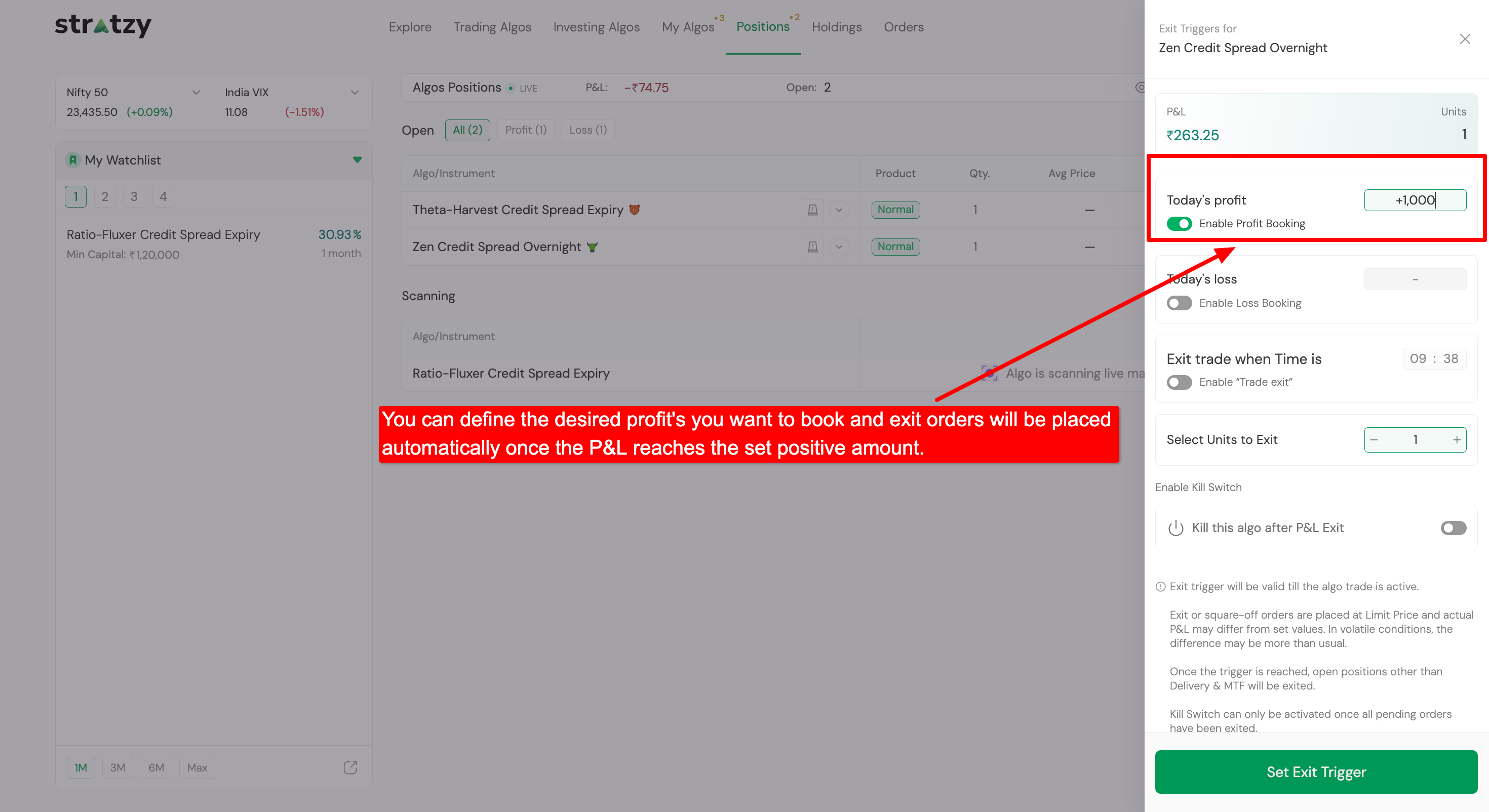
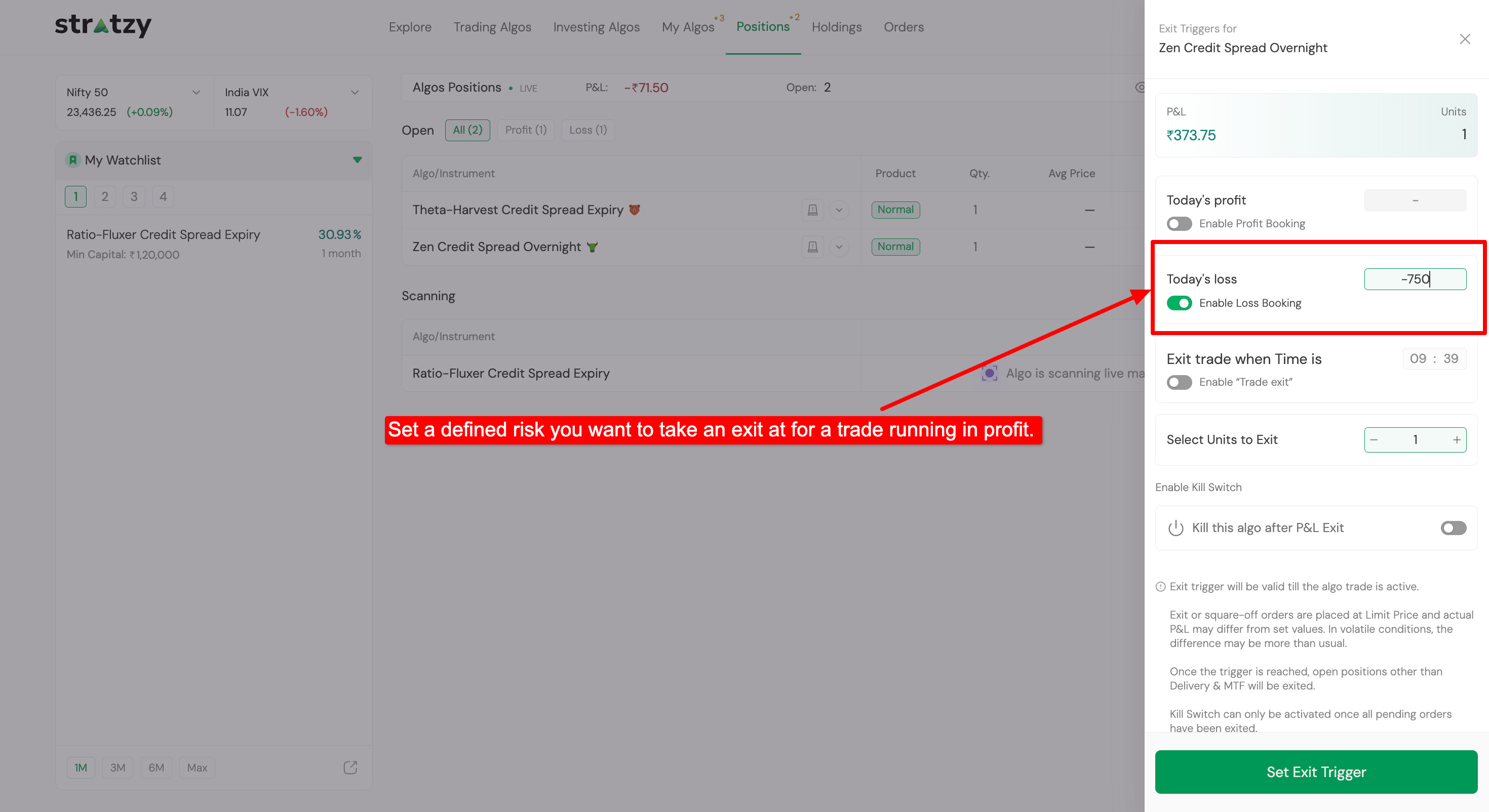
Set Profit Target (Recovery/Breakeven): You can set a profit target from ₹0 up to any higher amount. Setting the profit target at 0 will automatically exit your trade as soon as it recovers to breakeven.
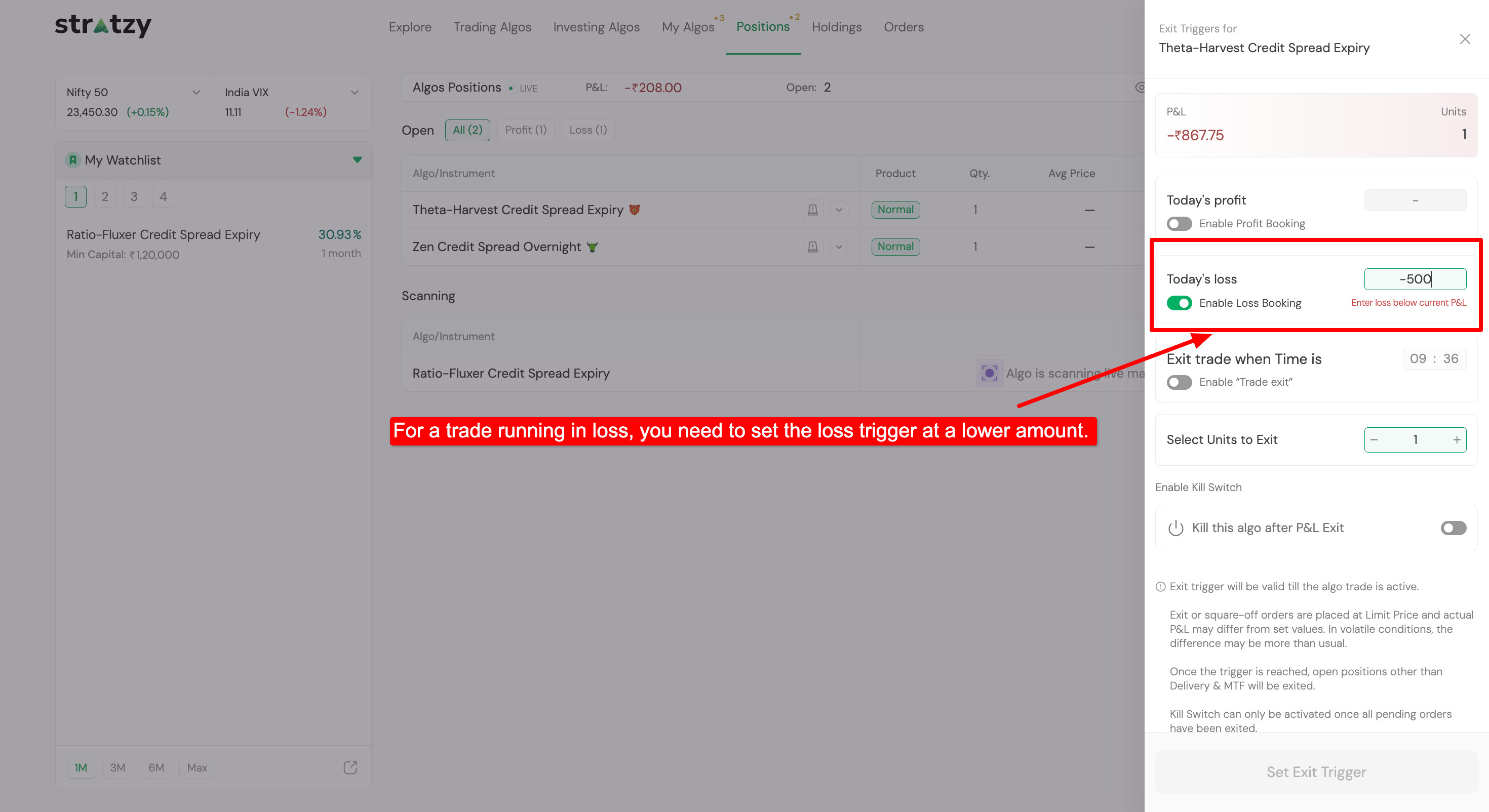
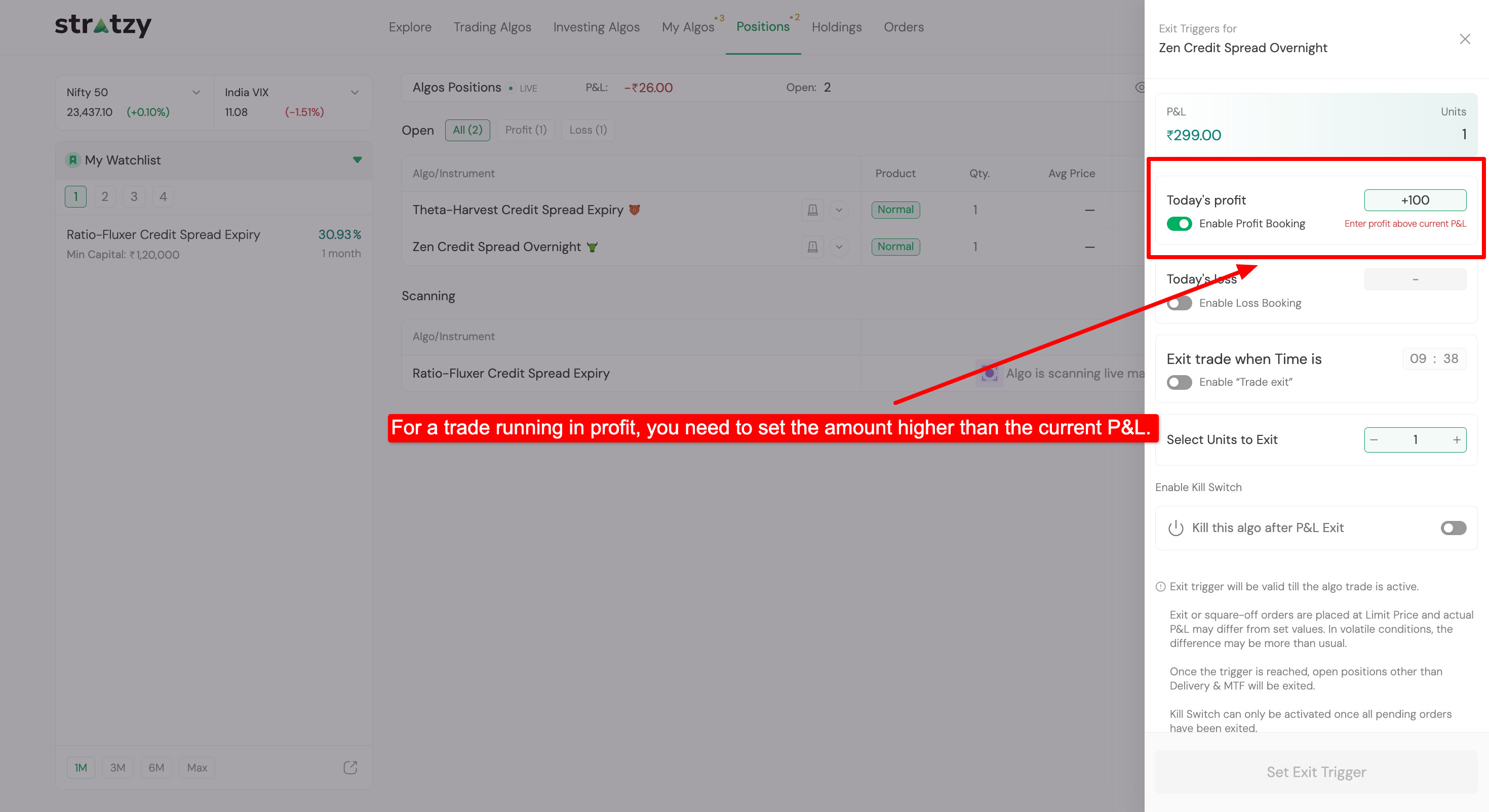
Lock in Higher Gains: Specify a profit target above your current P&L. The algo will automatically place an exit order once your target profit is reached.
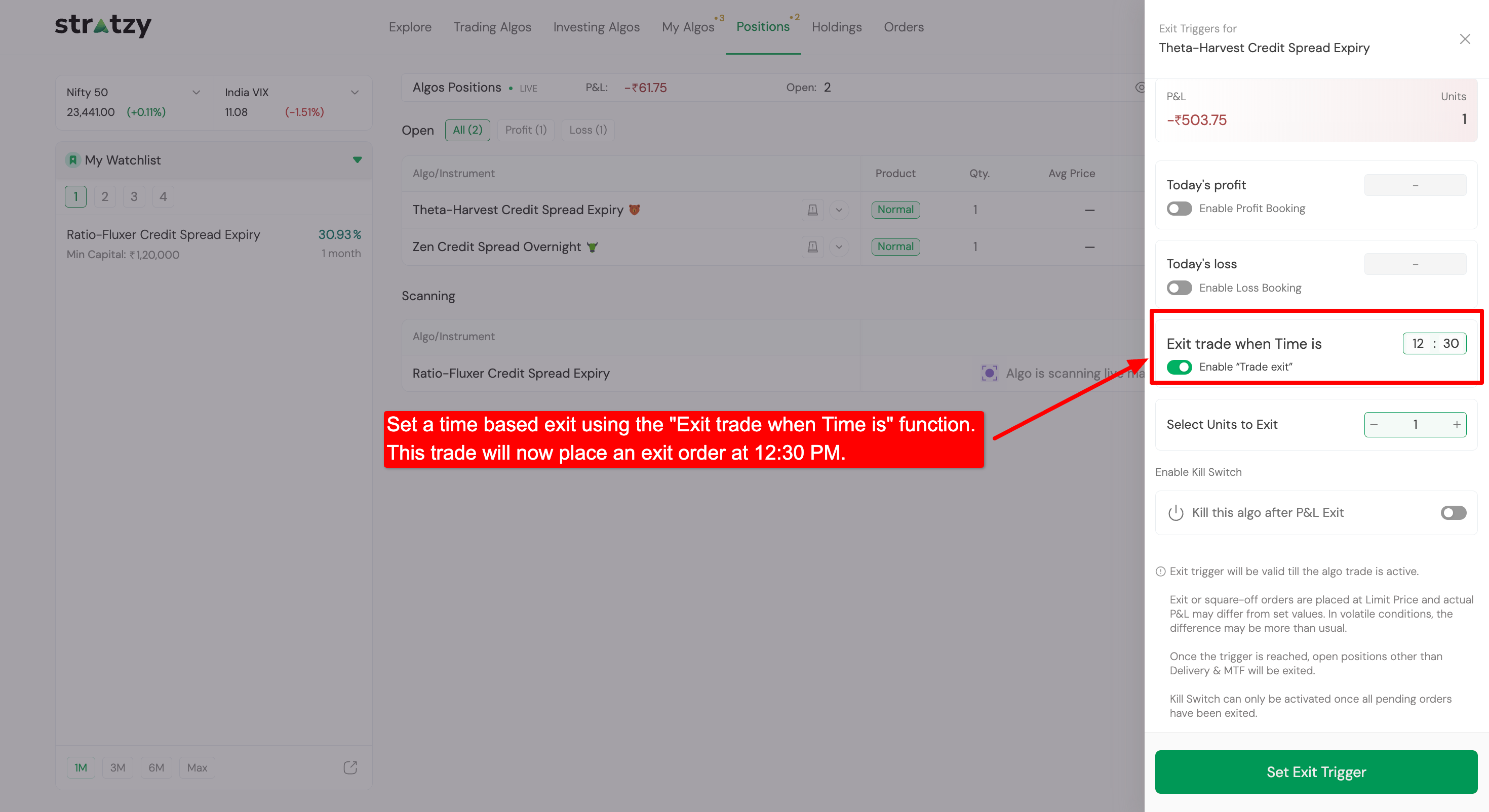
Prefer exiting at a specific time? Enable the “Exit trade when Time is” toggle to schedule an automatic exit order at your chosen time (e.g., 12:30 PM).
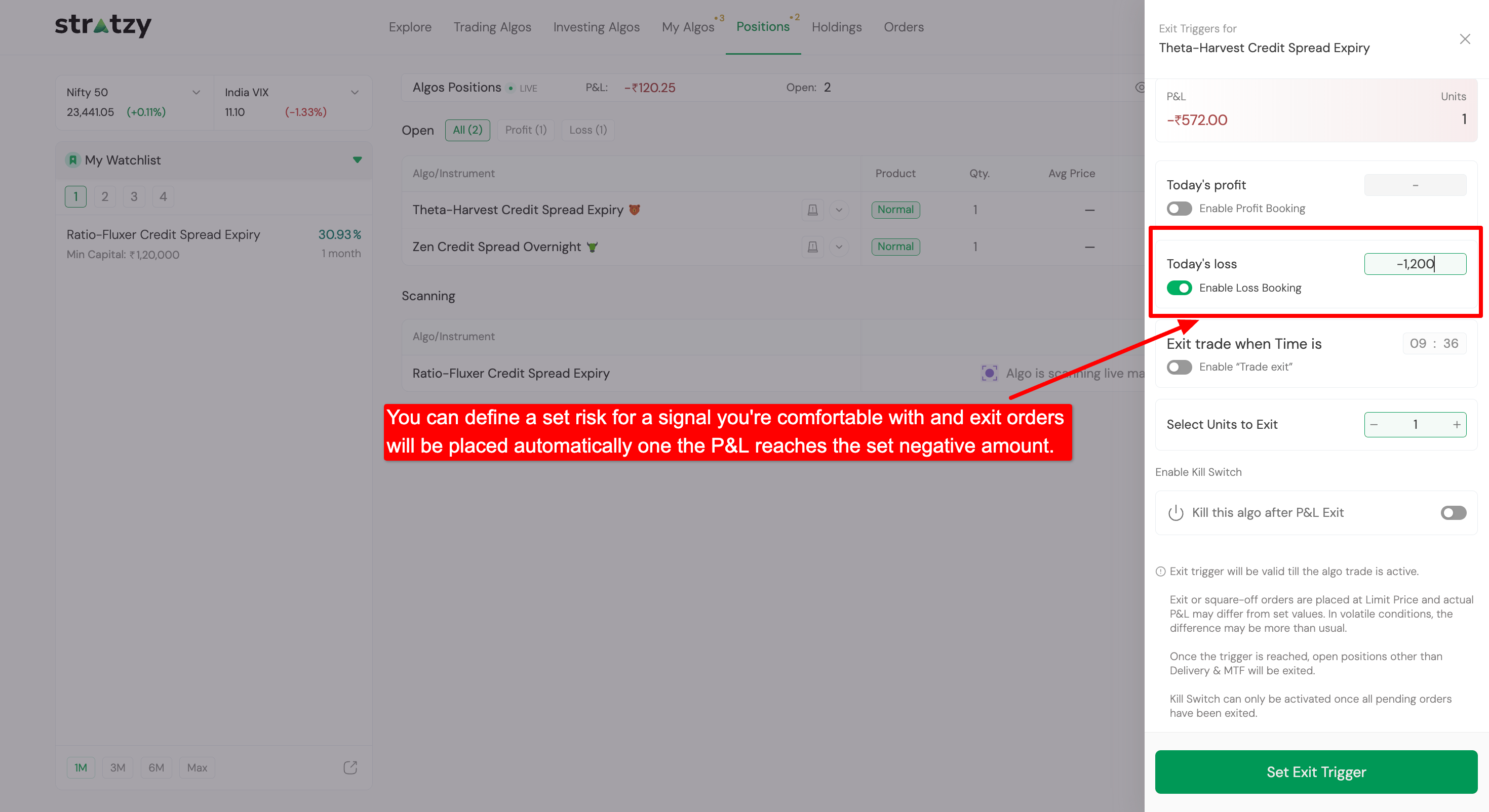
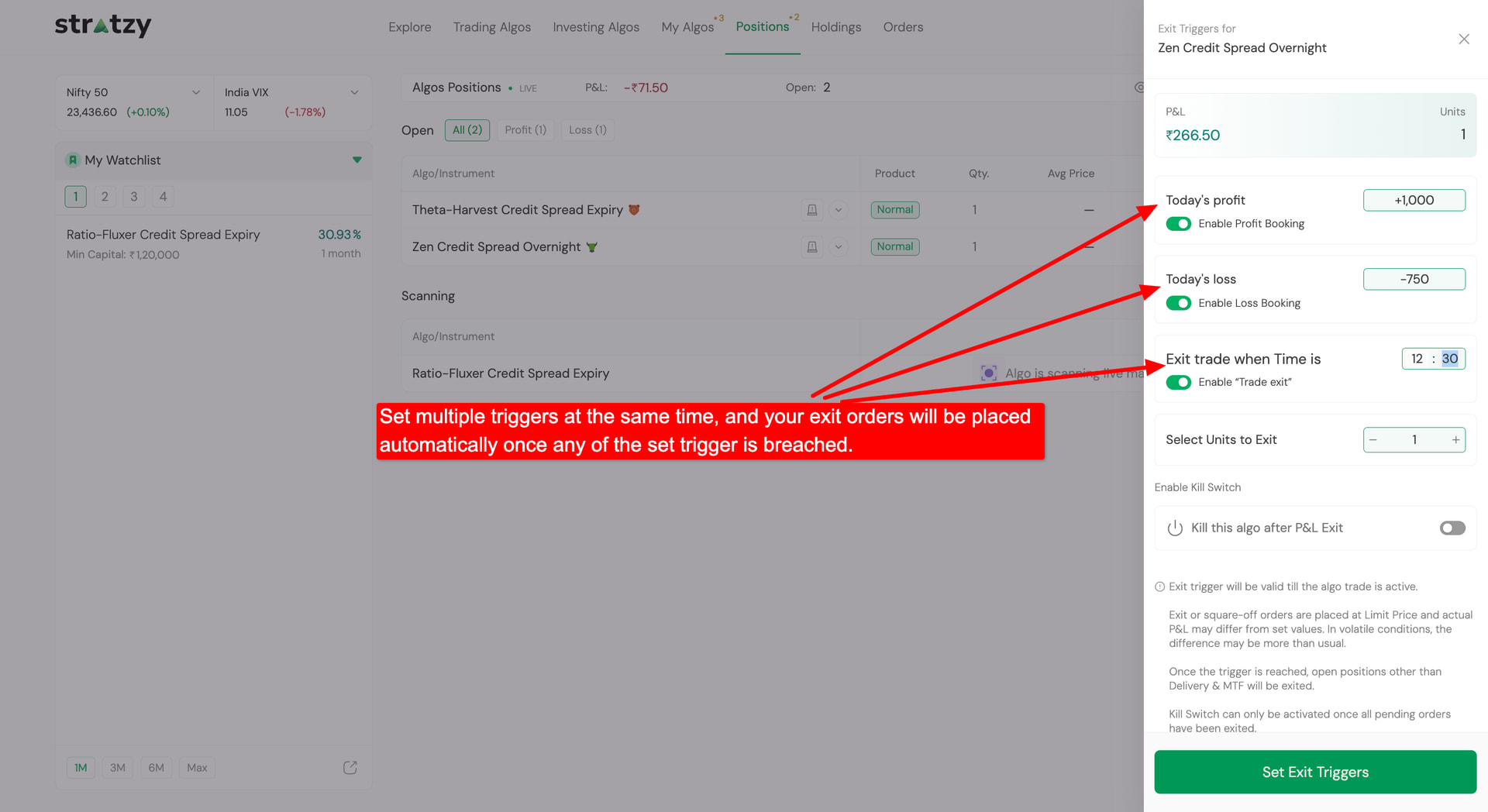
You don’t have to pick just one! Set Profit Booking, Loss Booking, and Time-Based Exits simultaneously. Your exit order will be executed automatically as soon as any of your set triggers are breached.
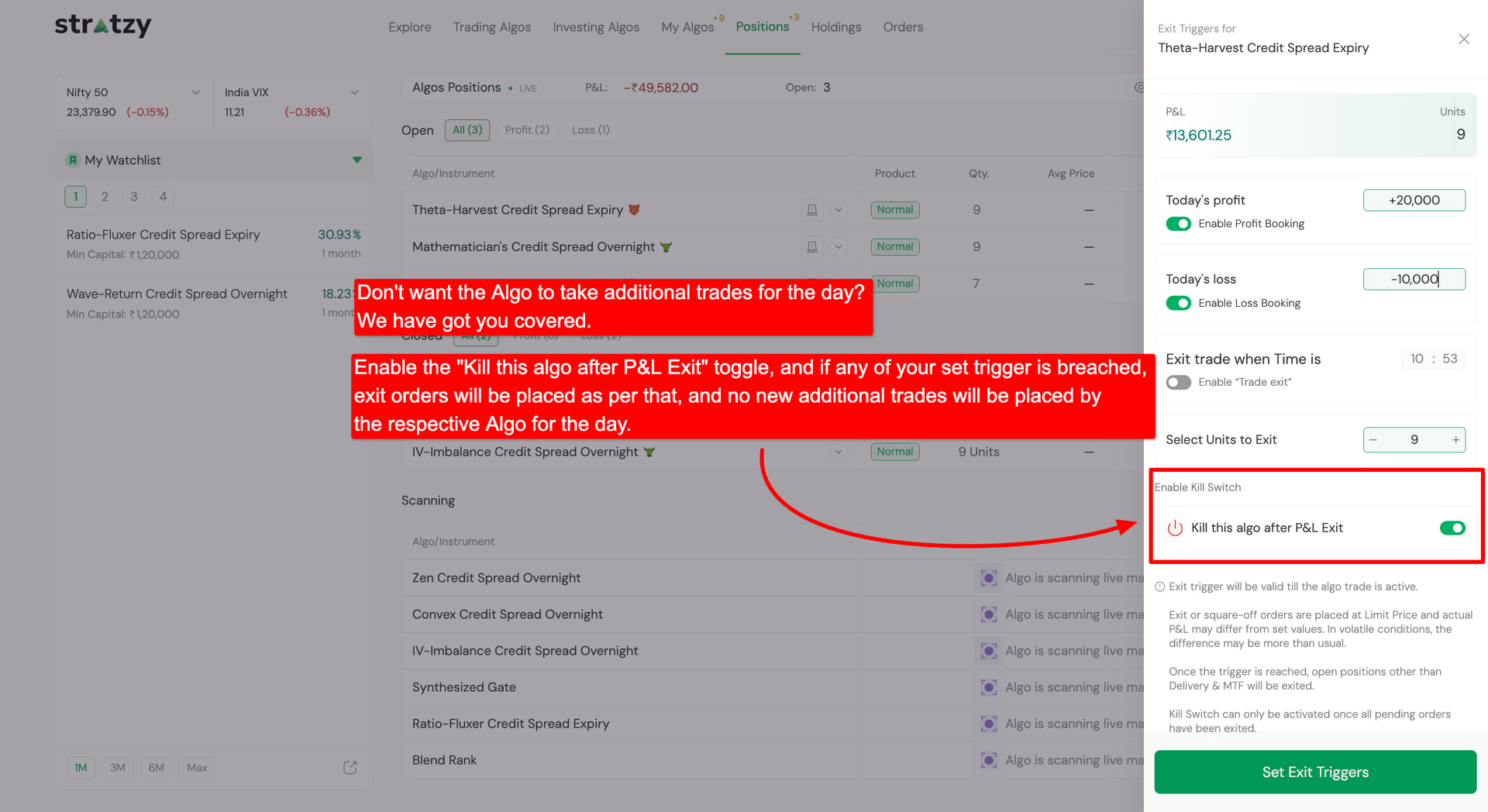
Don’t want the Algo to take additional trades for the rest of the day after exiting? Turn on the “Kill this algo after P&L Exit” toggle. Once your exit trigger is breached and orders are placed, the respective Algo will stop taking any new entries for that day.
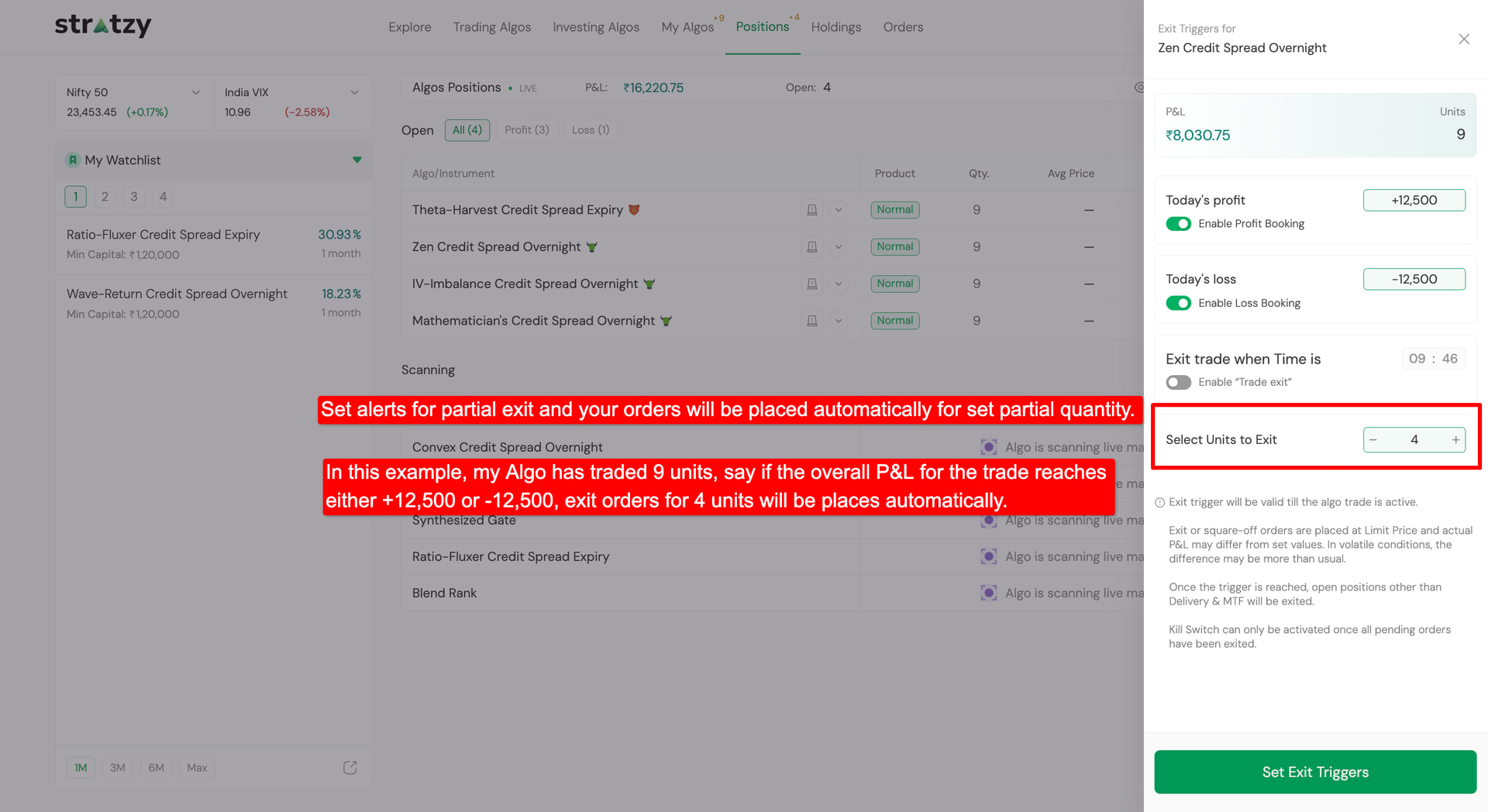
You don’t have to exit your entire position at once! Use the Select Units to Exit option to set triggers for a partial quantity.
Example: If you have an active position of 9 units, and you set triggers (+₹12,500 / -₹12,500) specifically for 4 units. When the P&L threshold is reached, exit orders will be placed automatically for only those 4 units while keeping the rest of the position active.
Important Note on Multiple Triggers & Partial Exits:
First-Trigger Execution: When you set multiple exit triggers simultaneously (e.g., Profit Booking, Loss Booking, or Time-Based Exit), once any one of the triggers is breached, the other triggers will remain active for the rest of the open position.
Partial Exits: If a trigger is set for a partial quantity (e.g., exiting 4 units out of 9):
As soon as any trigger condition is met, exit orders will be placed only for the specified partial quantity.
The remaining active triggers set for that position will now remain active for the rest of the open units.
The exit orders for the remaining open position will also continue to be managed automatically as per the Algo’s predefined strategy criteria.
Can we consider enabling this feature before it is triggered ,That way, we won’t need to check every day whether the algo has been triggered or not and it’s the motive of algo
Wow, this is a very good initiative , This will make us active! I have a question , what if we keep SL beyond the strategy SL, for example, suppose some trade entry at 100 , strategy’s default SL is say 90, But if i set exit trigger point to 85,
How does it work in this case !
And one more check, is this already live in dhan, if not, when do we expect it to be live for users! Thanks
Hi @ProTrader We’ll surely try to get the feature live on the marketplaces where Stratzy is supported as well. However, I won’t be able to provide a timeline for this at the moment.
Hello @MAHESWARA_REDDY Thanks for the suggestion. We’ll discuss the feasibility of enabling the trigger in advance, and if it works well with the existing trigger framework, we’ll explore it further.
Regarding your example, if the Algo’s default exit criteria are met and an exit signal is generated before any of your configured triggers are breached, the Algo will proceed with its default exit logic. In that case, your configured triggers will be automatically cancelled.
Hey folks, we saw that you requested this or something similar to this long back in the community. We hope this feature makes your Stratzy experience much smoother!
If i do not want to use these features, then? as i am a working professional & can’t do any change on my end. Will algos work like before, means entry , exit etc.? Please don’t change algos basic logics which needs manual intervention from users.
Absolutely! The Algo Exit Trigger is an additional, completely optional feature. If you don’t configure any triggers, the Algo will continue to function as intended, following its predefined entry and exit criteria without requiring any manual intervention from your end.
So, you can sit back, relax, and focus on your day-to-day work. That’s exactly the convenience Stratzy aims to provide through automated trading.
Thanks @jay.gori for the input. Can you bring the trailing SL feature as well? It is much needed as we can’t set a fixed loss or SL everyday, trailing it is a indeed a good choice on most days.
And controls like number of entries per day for an algo.
Hi @Prashanth_Bhat this feature is currently available on the Stratzy website at stratzy.in. Stay tuned; we’re working to make it available on the mobile app as well.
Hi @Avinash Thanks for the suggestion. We’ll surely explore whether we can accommodate this requirement within the existing functionality.
Custom Triggers for triggering exit on the active algo trades is a great feature. Thank you! Additionally as @ProTrader has suggested, a traling stop loss feature would definitely enhance this facility.
I would really like that these features are also introduced into each algo that a user has activated. The user can make default settings in these algos, which will be part of the active algo trades everyday. And the user can make modifications to these settings on a specific day in Positions against each active trade inside the feature introduced today.
This will help safe time for the user with the defaults already in place and avoiding the job everyday going to this setting in every active algo and introducing these limits per active algo.
In case some changes to these defaults are warranted to some of the active algos, then those need be changed only by the user.
The feature is good but can we also have these conditions at account level rather than trade level so that I dont have to monitor every trade which triggers.
Also can we have one more criteria that profit booking when difference between premium = 70% (as an example)
@rajagopalan if there are so much manual intervention then what is the use of algo trading? Regarding trailing SL, Stratzy can launch different version of each & every algo with TSL , for example SkewHunter TSL. In manual intervention, backetest performance will no match with future performance anymore.
 Important Note on Multiple Triggers & Partial Exits: